Die besten IMDb-Bild-Downloader zum Speichern von Filmplakaten und Standbildern

IMDb ist eine der beliebtesten Online-Plattformen für Film- und Fernsehinformationen. Sie bietet Millionen von Filmplakaten, Produktionsfotos, Schauspielerbildern und Werbebildern aus Filmen und Fernsehsendungen weltweit. Ob Filmfan, Blogger, Grafikdesigner oder Content-Creator – viele möchten diese Bilder für ihre Sammlungen, Recherchen oder kreative Projekte herunterladen.
Das Herunterladen von Bildern direkt von IMDb ist jedoch nicht immer einfach. Oftmals werden die Bilder in Galerien oder komprimierten Vorschauen angezeigt, was das Speichern der Version in voller Auflösung erschwert. Manche Nutzer greifen daher auf Screenshots zurück, diese führen aber in der Regel zu Qualitätsverlusten und erfordern zusätzliches Zuschneiden oder Bearbeiten.
Glücklicherweise gibt es mehrere Tools, mit denen Sie IMDb-Bilder schnell und effizient herunterladen können. Jede Option bietet unterschiedliche Grade an Komfort, Qualität und Automatisierung.
In diesem Leitfaden stellen wir Ihnen die besten IMDb-Bild-Downloader vor, die es aktuell gibt, und erklären, wie Sie damit ganz einfach Filmplakate und Standbilder aus IMDb-Galerien speichern können.
Die besten Online-IMDb-Bild-Downloader
Online-Bild-Downloader sind der einfachste Weg, Bilder von IMDb zu speichern, ohne Software installieren zu müssen. Diese Tools funktionieren direkt im Browser und erfordern in der Regel nur das Einfügen der Seiten-URL.
Online-Bild-Downloader oder -Extraktionsprogramme ermöglichen es Ihnen, einen Webseitenlink einzufügen und die Seite automatisch nach Bildern zu durchsuchen. Nach Abschluss des Scans zeigt das Programm alle gefundenen Bilder in einer Galerieansicht an.
Gemeinsame Merkmale sind:
- Alle Bilder von einer Webseite extrahieren
- Bilder vor dem Herunterladen in der Vorschau anzeigen
- Einzelne Bilder zum Speichern auswählen
- Mehrere Bilder gleichzeitig herunterladen
Zu den beliebten Online-Bilddownloadern gehören:
- Bildextraktor Version 3.2
- ImgDownloader
- Online-Bilder-Downloader: ToolsBug
- imageonline.io
- TTOK IMDb Foto-Speicher
So laden Sie IMDb-Bilder mit einem Online-Bilddownloader herunter:
- Öffne die Film- oder Schauspielerseite auf IMDb und kopiere die Seiten-URL.
- Besuchen Sie eine Website zum Online-Extraktion von Bildern wie extract.pics und fügen Sie die URL in das Eingabefeld ein.
- Lassen Sie das Tool die Seite scannen und alle Bilder anzeigen.
- Wählen Sie die Bilder aus, die Sie herunterladen möchten.
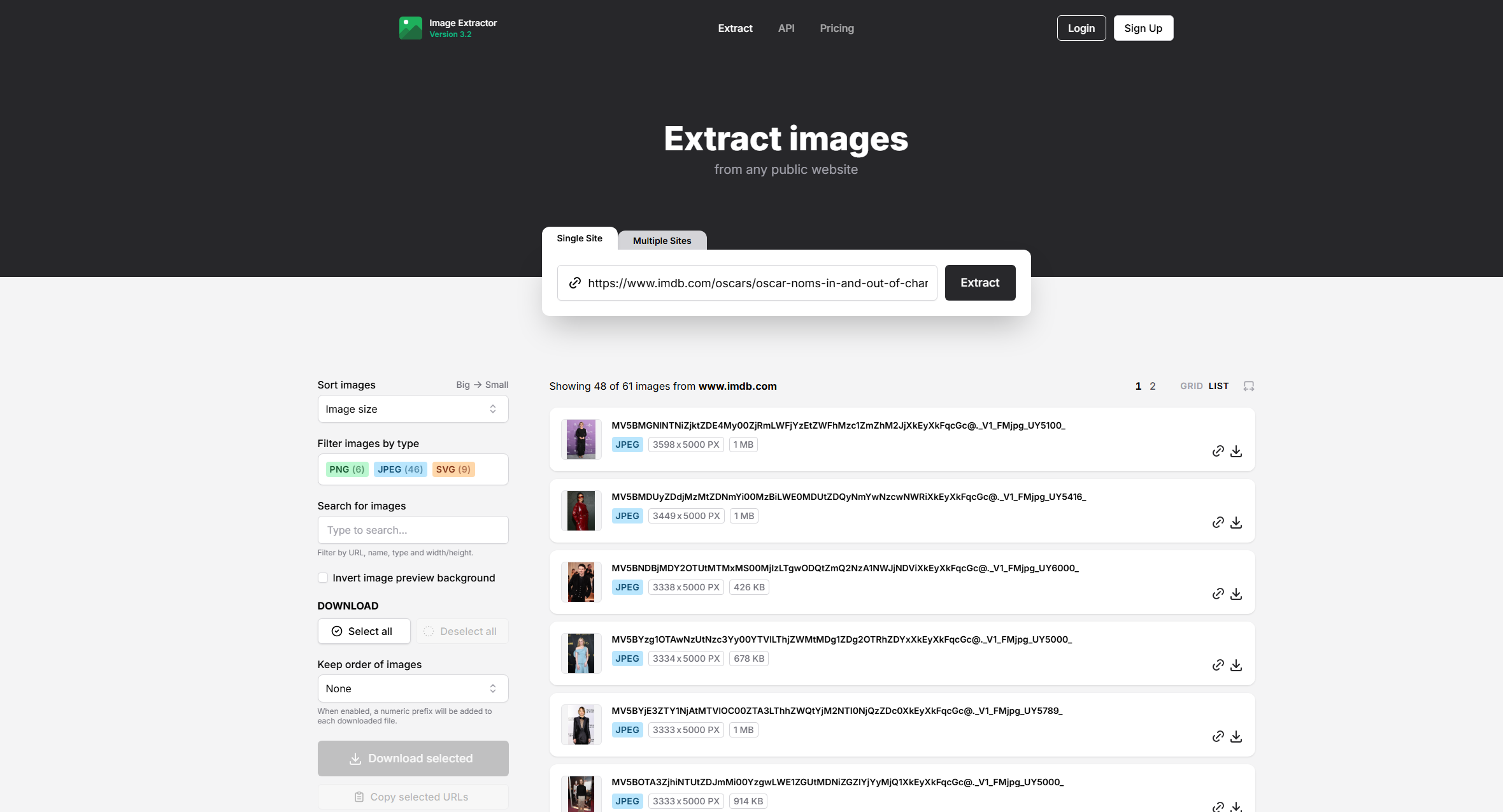
Diese Methode ist zwar einfach und praktisch, hat aber auch einige Einschränkungen. Viele Online-Tools haben Probleme mit dynamischen Galerien und erkennen möglicherweise nur Vorschaubilder anstatt hochauflösender Bilder. Außerdem beschränken manche Websites die Anzahl der Downloads oder blenden Werbung ein.
2. Die besten IMDb-Bild-Downloader-Erweiterungen
Browsererweiterungen bieten eine leistungsfähigere Lösung zum Herunterladen von Bildern von Websites wie IMDb. Nach der Installation integrieren sich diese Erweiterungen direkt in Ihren Browser und ermöglichen es Ihnen, Bilder von der aktuellen Seite zu erkennen und herunterzuladen.
Für Browser wie beispielsweise folgende sind Erweiterungen zum Herunterladen von Bildern verfügbar:
- Google Chrome
- Mozilla Firefox
- Microsoft Edge
Erweiterungen zum Herunterladen von Bildern umfassen:
- Bild-Downloader
- Bildauge
- Bildgreifer
- IMDb-Bild-Downloader
Diese Erweiterungen scannen die Seite und zeigen alle Bilder in einem Rasterlayout an. Nutzer können Bilder nach Größe oder Format filtern und die gewünschten Bilder zum Herunterladen auswählen.
So laden Sie IMDb-Bilder mithilfe einer Bild-Downloader-Erweiterung herunter:
- Installieren Sie eine Bild-Downloader-Erweiterung wie Imageye in Ihrem Browser.
- Öffnen Sie eine IMDb-Film- oder Schauspielergalerieseite, klicken Sie dann auf das Erweiterungssymbol, und die Erweiterung scannt die Seite und zeigt alle Bilder an.
- Wählen Sie die gewünschten IMDb-Bilder aus und laden Sie sie auf Ihren Computer herunter.
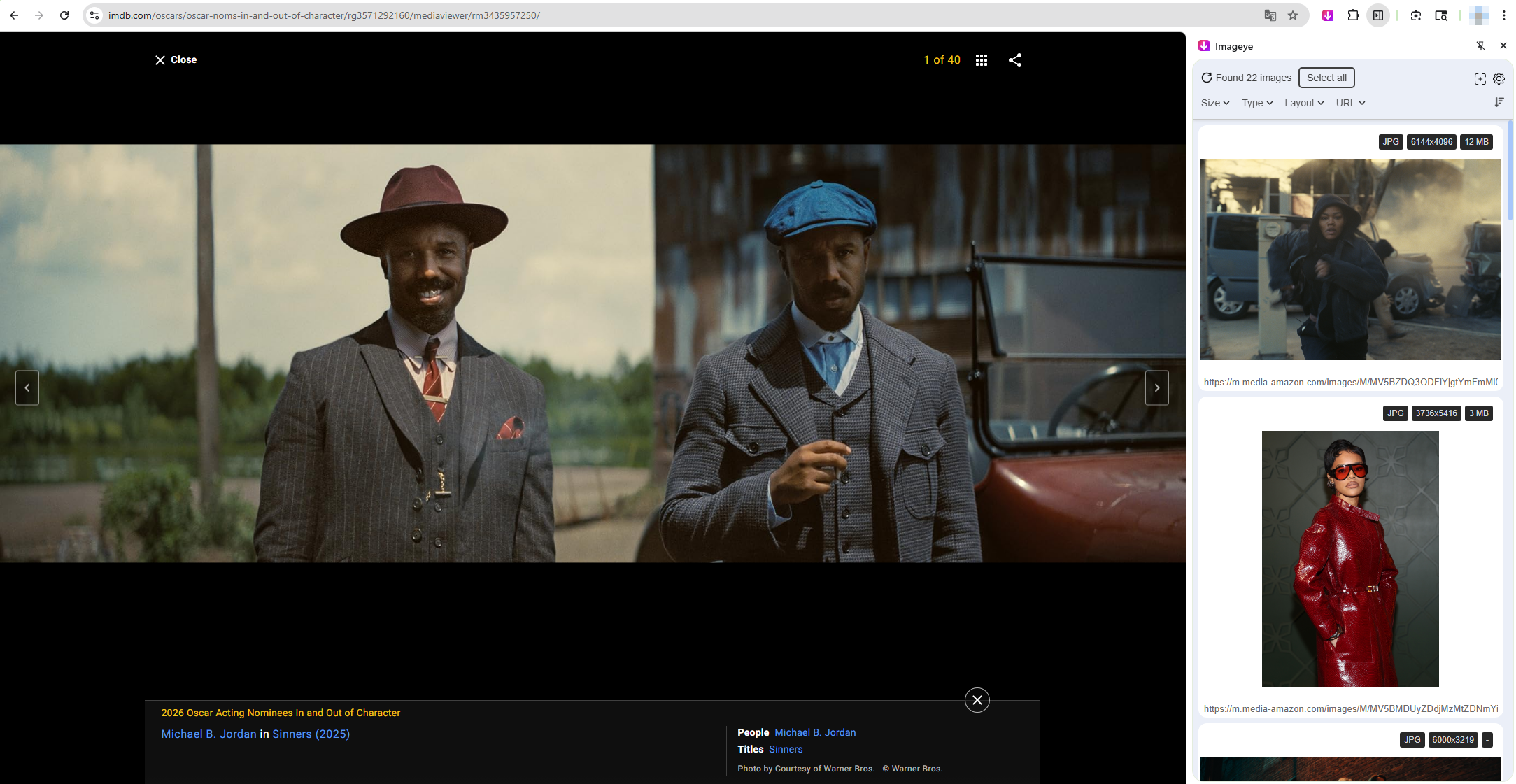
Zu den Vorteilen von Browsererweiterungen gehören:
- Schnellere Bilderkennung
- Funktionen zum Massen-Download
- Filteroptionen für die Bildgröße
- Direkte Downloads ohne URL-Kopieren
Erweiterungen haben jedoch auch ihre Grenzen. Einige IMDb-Bilder werden über Skripte oder geschützte Links geladen, sodass Erweiterungen möglicherweise nur Vorschaubilder erkennen. Außerdem kann das Herunterladen sehr großer Galerien die manuelle Auswahl der Bilder erfordern.
Für Nutzer, die viele hochwertige IMDb-Bilder herunterladen möchten, wird eine fortgeschrittenere Lösung empfohlen.
3. Beste Software zum Herunterladen von IMDb-Bildern – Imaget
Für Nutzer, die Bilder von IMDb leistungsstark und zuverlässig herunterladen möchten, ist spezielle Software die beste Wahl. Eines der effektivsten Tools für diesen Zweck ist… Imaget .
Imaget ist ein professioneller Massen-Bild-Downloader, der hochauflösende Bilder von Websites, Galerien und Social-Media-Plattformen extrahiert. Er bietet eine fortschrittliche Erkennungstechnologie, die Bilder identifiziert und herunterlädt, die von vielen Online-Tools und Erweiterungen übersehen werden.
Hauptmerkmale von Imaget :
- Arbeiten Sie mit allen Bildergalerien, sozialen Plattformen und Medienseiten zusammen.
- Laden Sie mehrere Bilder gleichzeitig von einer Webseite oder Galerie herunter.
- Findet und speichert automatisch Bilder in voller Größe anstelle von Miniaturansichten.
- Filtern Sie die Bilder vor dem Herunterladen nach Größe, Auflösung und Format.
- Laden Sie Bilder in den gängigen Formaten PNG, JPEG oder im Originalformat herunter.
Um IMDb-Bilder herunterzuladen Imaget :
- Herunterladen und installieren Imaget Windows oder Mac Version auf Ihrem Computer.
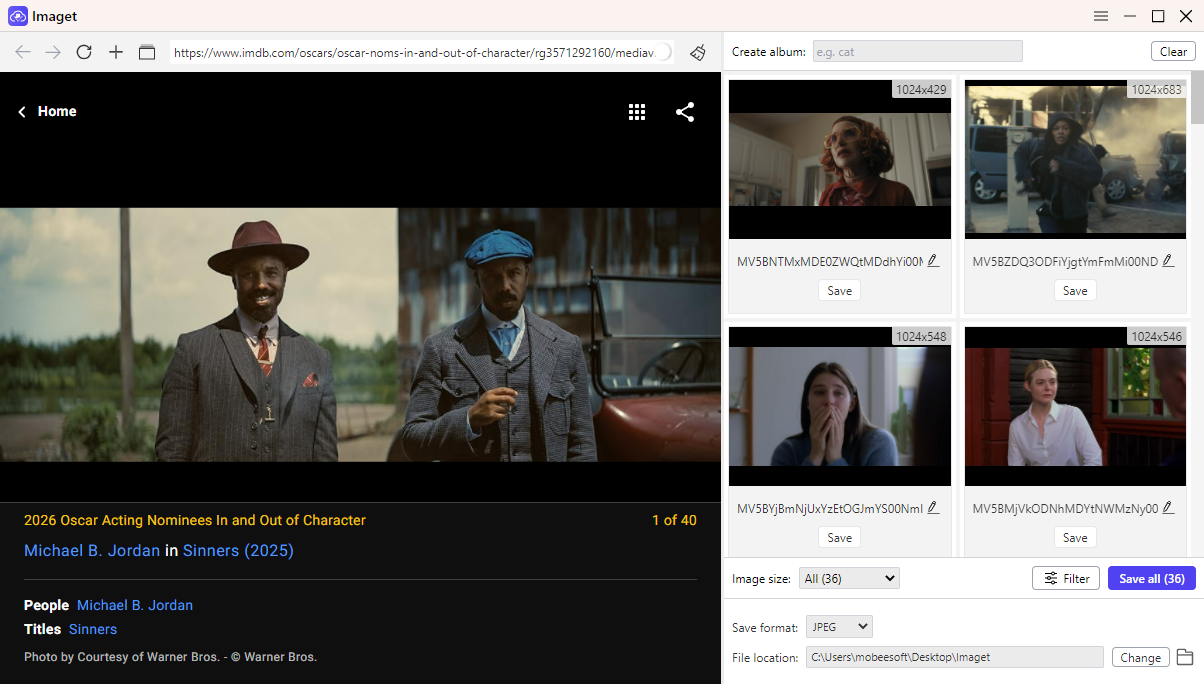
- Gehe zur IMDb-Film- oder Schauspielerseite im Inneren Imaget Scrollen Sie die Seite und lassen Sie Imaget Scannen Sie die Seite und erkennen Sie alle verfügbaren Bilder.
- Sehen Sie sich die erkannten Bilder in der Vorschau an, wählen Sie die gewünschten Bilder aus, klicken Sie auf „Alle speichern“ und starten Sie den Download.
- Innerhalb weniger Sekunden werden die ausgewählten IMDb-Poster oder Standbilder auf Ihrem Computer gespeichert.
4. Fazit
Das Herunterladen von Bildern von IMDb kann für Filmfans, Forscher, Blogger und Designer nützlich sein, die Zugriff auf Filmplakate, Produktionsfotos und Schauspielerbilder benötigen. Online-Bild-Downloader bieten eine einfache Lösung zum Extrahieren von Bildern von einer einzelnen Seite, stoßen jedoch bei dynamischen Bildergalerien an ihre Grenzen und begrenzen häufig die Downloadanzahl. Browser-Erweiterungen bieten eine bessere Funktionalität und ermöglichen es Nutzern, mehrere Bilder direkt im Browser zu erkennen und herunterzuladen.
Für ein optimales und effizientes Nutzungserlebnis ist spezialisierte Software die beste Option. Tools wie Imaget Ermöglicht es Benutzern, IMDb-Seiten zu durchsuchen, hochauflösende Bilder zu erkennen und ganze Galerien mit nur wenigen Klicks herunterzuladen.
Wenn Sie häufig Filmplakate oder Standbilder von IMDb speichern, Imaget zeichnet sich durch seine leistungsstarke Erkennungstechnologie, die Möglichkeit zum Massen-Download und die benutzerfreundliche Oberfläche als bester IMDb-Bild-Downloader aus.
- Die besten Bild-Downloader zum Herunterladen von Bato-Mangas im Jahr 2026
- Wie lade ich Film-Screenshots von FilmGrab herunter?
- Übersicht der Chrome-Erweiterung „Massenbild-Downloader“: So verwenden Sie sie für Stapel-Downloads
- TurboImageHost Downloader für Chrome: So laden Sie Bilder ganz einfach herunter
- Wie kann ich Bilder von Wildskirts herunterladen?
- So extrahieren Sie Inhalte von Webseiten: 5 einfache Methoden
- Die besten Bild-Downloader zum Herunterladen von Bato-Mangas im Jahr 2026
- Wie lade ich Film-Screenshots von FilmGrab herunter?
- Übersicht der Chrome-Erweiterung „Massenbild-Downloader“: So verwenden Sie sie für Stapel-Downloads
- TurboImageHost Downloader für Chrome: So laden Sie Bilder ganz einfach herunter
- Wie kann ich Bilder von Wildskirts herunterladen?
- So extrahieren Sie Inhalte von Webseiten: 5 einfache Methoden
- Wie lade ich Bilder von Danbooru herunter?